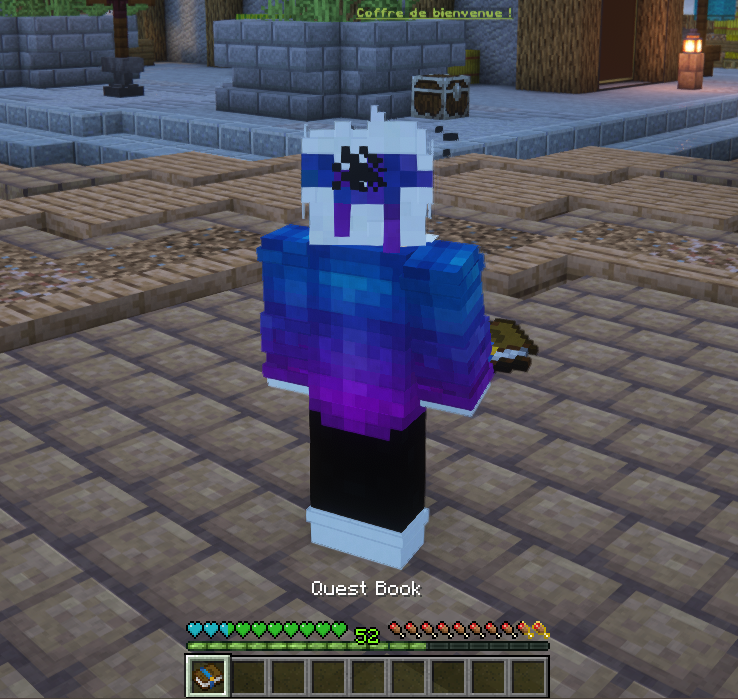
Voyageur, à ton arrivée au /spawn, un mystérieux Quest Book te sera confié. Ce grimoire sacré renferme l'ensemble des quêtes d'Arcadia.
1
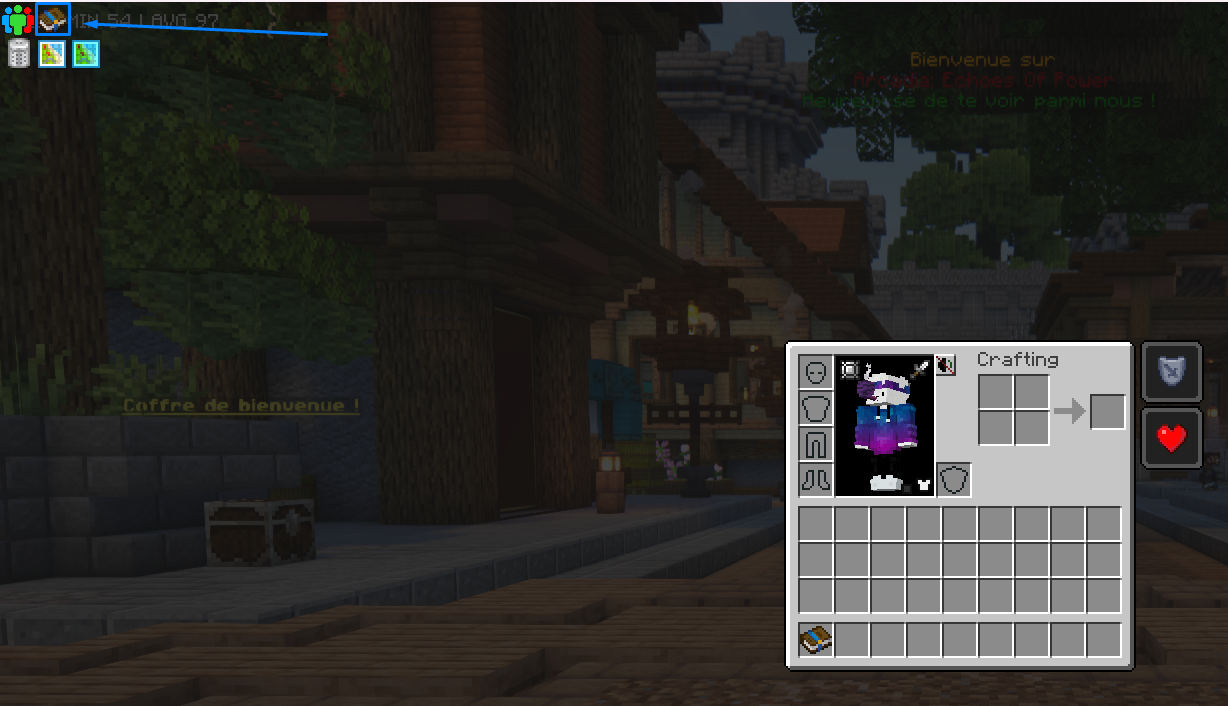
Ouvrez votre inventaire (Touche E). Un onglet orné d'un livre nommé Quest apparaît en haut à gauche.
2
En cliquant sur cet onglet, vous pourrez consulter la liste des quêtes qui guideront votre chemin à travers Arcadia.
3
Astuce : Vous pouvez lier une touche spécifique dans vos Options de contrôles pour ouvrir ce menu instantanément sans passer par l'inventaire.
Ouvrir ton livre de quêtes
1Ouvre ton inventaire (touche E). Un onglet orné d'un livre nommé Quest apparaît en haut à gauche.
2En cliquant sur cet onglet, tu consultes la liste des quêtes qui guideront ton chemin à travers Arcadia.
3Astuce: tu peux lier une touche dédiée dans tes Options de contrôles pour ouvrir ce menu instantanément sans passer par l'inventaire.
Comment fonctionne le livre FTB Quests
Le Quest Book utilise le mod FTB Quests. Il est organisé en 41 chapitres qui regroupent 3 897 quêtes, du tout premier bloc de bois jusqu'à l'endgame. Chaque chapitre est une carte de quêtes reliées par des lignes: tu débloques les suivantes en complétant celles d'avant.
Chapitres: chacun couvre un thème (survie, Create, magie, une dimension, un mod...). Le chapitre Progression Guide sert de fil rouge général.
Progression automatique: la plupart des quêtes se valident toutes seules dès que tu possèdes l'objet demandé ou que tu réalises l'action.
Récompenses: coffres de loot, matériaux, XP et parfois des clés de coffre, clique sur la récompense pour la réclamer une fois la quête terminée.
Notre conseil
Ne fonce pas dans tous les chapitres à la fois. Suis la ligne principale (Progression Guide), et n'oublie jamais de réclamer tes récompenses: elles font gagner des heures de farm.
Le Guide de Progression est un tableau de primes
Le chapitre Guide de Progression n'est pas un chapitre comme les autres: il ne demande rien à fabriquer. C'est une carte de 21 cases, une par grand chapitre, et chaque case se coche quand tu as terminé le chapitre correspondant.
50 niveaux d'expérience par chapitre terminé
Chacune des 21 cases rapporte exactement 50 niveaux d'expérience, plus un tirage dans une table de butin. C'est de très loin la meilleure source d'expérience du pack, et elle passe complètement inaperçue.
Toutes les cases ne se valent pas: le tirage dépend du chapitre.
Tirage obtenuChapitres concernés
Butin LegendaireArs Nouveau, Immersive Engineering, Mekanism, Mekanism Reactor, Iron's Spells, Apothic Enchanting
Butin RareAll of Create, Refined Storage, Twilight Forest, The Aether, Deeper and Darker, Flux Networks, Immersive Aircraft, Aquaculture, Artifacts, Occultism, Simply Swords
Butin CommunCommandes de Base, Un Nouveau Départ, L'Appel du Nether, Never End
Les six chapitres qui donnent le tirage légendaire sont donc les plus rentables à terminer en entier. Ce sont aussi les branches techniques et magiques principales, ce qui tombe bien: elles suivent le plan décrit sur La route vers l'endgame.
Les dix-neuf autres chapitres du livre n'ont pas de case dans le guide. Ils gardent leurs récompenses quête par quête, mais ne donnent pas de prime de fin.
Ce que les récompenses contiennent vraiment
Les coffres de récompense ne sont pas décoratifs: le pack définit dix tables de butin, chacune avec son thème. Quand tu réclames une récompense, le jeu tire au hasard dans la table correspondante.
TableTiragesCe qu'on y trouve
Butin Commun2 objetsLingots de base, charbon, redstone, nourriture, torches, flèches
Butin Rare1 objetDiamant, émeraude, totem d'immortalité, gemme source, premiers composants techniques
Butin Legendaire1 objetBlocs de diamant et d'émeraude, alliage atomique, obsidienne raffinée, pièce de stockage 64k, et très rarement une étoile du Nether ou une élytre
Bases de l'Overworld3 objetsBois, pierre, minerais bruts, sable et terre, de quoi démarrer
Butin du Nether3 objetsNetherrack, blackstone dorée, larmes de ghast, bâtons de blaze
Butin Create1 objetRotors, roues dentées, boîtes de vitesses, presse mécanique
Butin Refined Storage1 objetProcesseurs, silicone, câbles, pièces de stockage
Butin de l'Aether1 objetSkyroot, ambrosium, pierre sacrée, aéronuages
Butin Avions Immersifs1 objetHélices, gyroscopes, trains d'atterrissage, chaudières
Simply1 objetHuit armes uniques de Simply Swords, à chances égales
La table Simply est la plus intéressante à viser: elle ne contient que des armes uniques, et chacune a exactement une chance sur huit de sortir. C'est la façon la plus fiable d'en obtenir une, puisqu'elles ne se fabriquent pas. Le détail de ces armes est sur Simply Swords.
À ne pas confondre avec les coffres à butin de la boutique, qui sont un autre système, décrit sur Clés et coffres à butin.
La carte des 41 chapitres
Voici tout ce que le livre contient, avec le nombre de quêtes de chaque chapitre. De quoi choisir où aller plutôt que de tout ouvrir au hasard.
FamilleChapitres
Le fil rougeUn Nouveau Départ (40), Guide de Progression (21), Commandes de Base (12)
Les dimensionsTwilight Forest (464), L'Appel du Nether (210), Deeper and Darker (98), Never End (65), The Aether (26)
La chasseChasse animale (408), Protège ton foyer (388), Chasse aquatique (228), Chasse aux protecteurs (72)
La magieOccultism (308), Iron's Spells (234), Ars Nouveau (215), Apothic Enchanting (47), Apotheosis Gem (28), Apotheosis Spawner (21)
La techniqueSophisticated (116), Mekanism Reactor (97), Mekanism (80), Refined Storage (55), The Factory Must Grow (48), All of Create (43), Immersive Engineering (22), Flux Networks (10)
La cuisineFarmer's Delight (35), Aquaculture (22), Vignoble (19), Welcome to magic food (14), Gastronomie of the END (12)
Le resteArtifacts (47), Mowzie's Mobs (36), Simply Swords (27), Better Archeology (20), Immersive Aircraft (19), Mutant Monsters (19), Chipped (8), Waystones (8)
Le chapitre maisonArcadia (68), Marché Arcadia (189), le chapitre des échanges de la boutique en jeu
Le chapitre Arcadia, c'est l'endgame en 68 étapes
Celui là n'existe dans aucun autre pack: il déroule la chaîne complète du Noyau de Fusion, palier par palier, du mélange d'alliage jusqu'au noyau final. Si tu veux savoir exactement quoi produire et dans quel ordre pour l'objectif ultime, c'est là que ça se passe.
Les quatre chapitres de chasse à eux seuls comptent 1 096 quêtes. Ce sont des listes de créatures à tuer, très pratiques quand tu cherches quoi faire d'une soirée sans projet, et elles rapportent beaucoup de récompenses. Les créatures concernées sont décrites sur Monstres et butin.
Aller plus loin
Les quêtes sont le fil rouge de tout le pack. Pour savoir dans quel ordre les aborder, consulte la route vers l'endgame. Le premier gros chapitre technique est Create, et pour repérer les recettes exactes demandées par une quête, appuie-toi sur le Trouver une recette avec JEI.
Par où commencer
Le livre de quêtes se lit en parallèle du guide Tes premières heures, qui donne l'ordre concret des huit premières étapes.